
What does billing software do at the counter?
Billing software records the products a customer buys and the payment against that sale. For a retail shop in Sri Lanka, the useful question is how that billing record connects to your catalogue, receipt and stock. Aroha POS brings those tasks into a browser-based workspace.
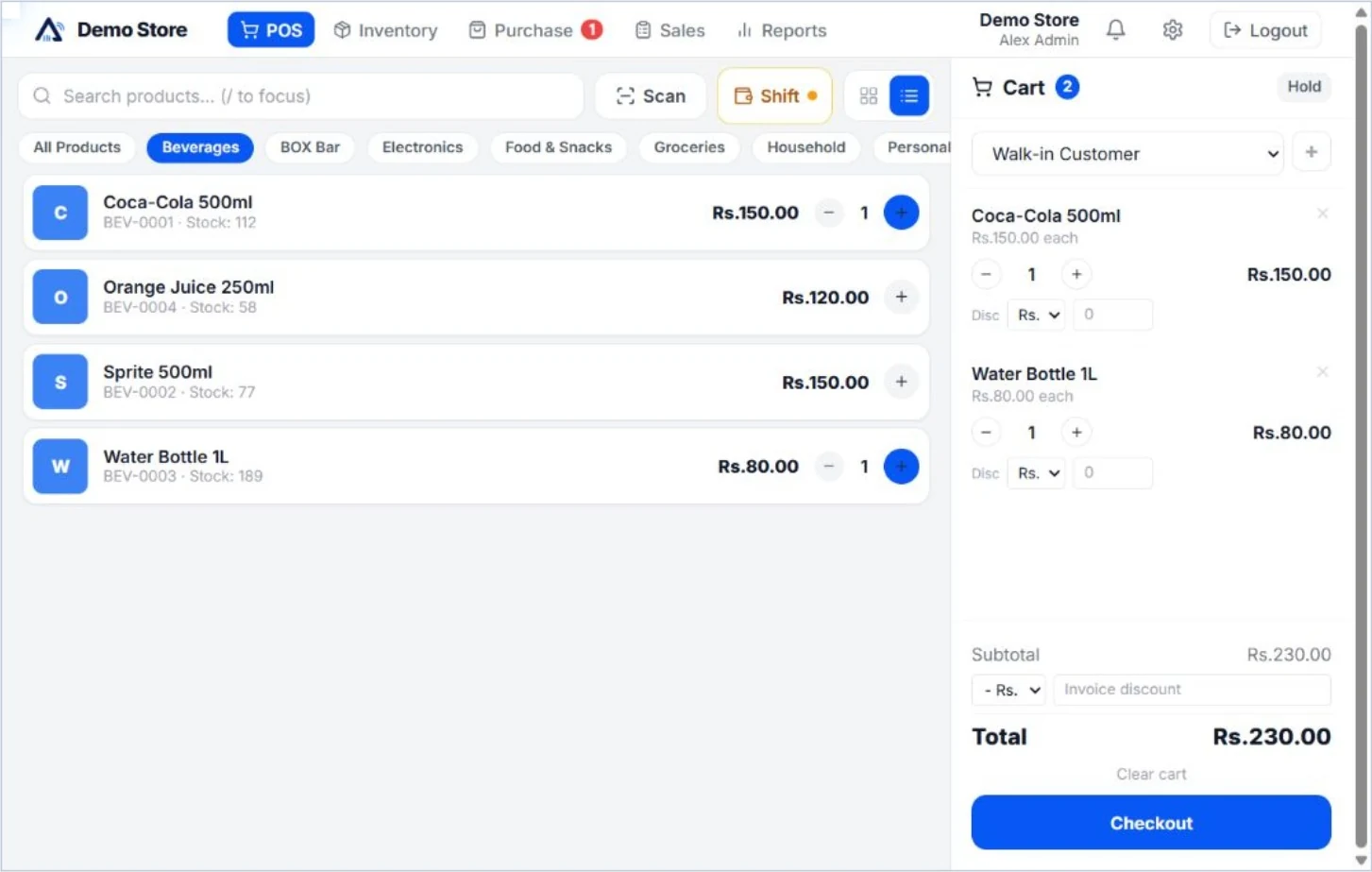
Use product search or barcode entry to build the cart. Record the payment, prepare the receipt and review the resulting sale in your reports. Stock updates with the sale, connecting the counter with your product records.
A simple billing workflow
- Select the items. Search or scan a product and check the quantity and price in the cart.
- Record the payment. Keep the payment information with the sale in the checkout workspace.
- Prepare the receipt. Use invoice and receipt printing with your company logo. Test the layout on your own printer.
- Review the result. Check the sales record, product stock and the relevant sales and payment reports.
Explore the illustrated product walkthrough using actual Aroha screens, then repeat the tasks in your trial account.
Choose billing features by plan
| Plan | Included billing tools |
|---|---|
| Starter | Barcode and keyboard checkout, basic discounts, payment recording, receipt printing, company-logo invoices, sales returns and refunds. |
| Professional | Starter tools plus hold and recall sales, shifts and cash-drawer management, customer credit sales and collections, and VAT configuration. |
| Enterprise | Professional tools plus split checkout payments, exchanges and bundled products or packages. |
VAT configuration is not included in Starter. Features also depend on the staff permissions in your account. Review all plan capacities and included tools rather than choosing on the subscription price alone.
Billing software prices for Sri Lankan shops
Paid subscriptions are USD 5 for Starter, USD 11 for Professional and USD 20 for Enterprise per company per month. Prices are billed in USD, not at a fixed LKR amount. Any conversion to Sri Lankan rupees depends on your payment provider.
Start with a 60-day free trial without a payment card. Trial capacity is three users, 300 products and two branches with supported Enterprise features. Paid-plan limits differ. The pricing page explains what happens when the trial ends.
Test receipts, returns and equipment before switching
Try your normal barcode scanner, browser and receipt printer with a small sample catalogue. Check the paper size, product names and company information on a printed receipt. Then process a return and review its sales and stock records. A complete workflow test is more useful than checking only the first successful sale.
If you need customer credit, hold sales or split payments, test the relevant feature in the appropriate plan. Tell us about specialist requirements before deciding. Recording a payment is not the same as a confirmed integration with a bank terminal or QR payment provider.
Billing questions, answered
Does stock update when a bill is completed?
Product stock updates with a sale recorded in Aroha POS. Keep opening quantities and stock adjustments accurate so the connected inventory record remains useful.
Does every plan include receipt printing?
Receipt printing and company-logo invoices are included in the published paid plans. Test your particular printer, browser and receipt layout during the trial.
Is Aroha free forever?
No. The free trial lasts 60 days. Choose a paid plan to continue using the business tools afterwards.
How do I ask about my billing setup?
Contact Aroha with your product count, staff count, printer and scanner details, and the tasks you need at the counter. See the contact options.