
What should retail POS software do for your shop?
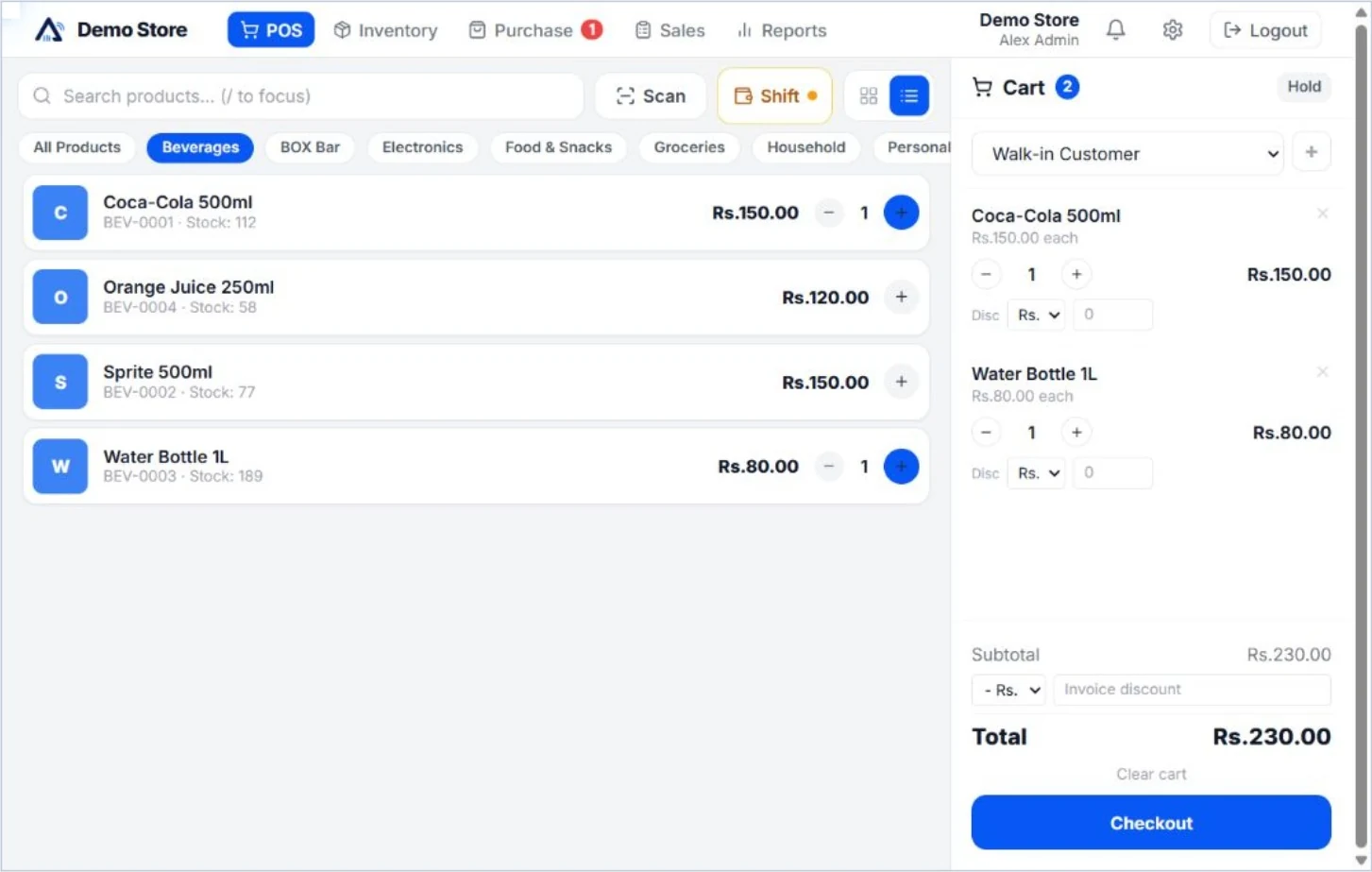
A retail point of sale system should help you make a sale and keep a clear record of what changed. For a shop in Sri Lanka, that starts with the products on your shelves, the person at the counter and the reports you need at the end of the day. Aroha brings those tasks into a browser-based workspace.
Use the trial to check the way your own business works. A grocery shop may need quick barcode entry and stock checks. A clothing shop may focus on finding products and processing returns. Choose the workflow and plan that fit the tasks you actually perform.
From barcode billing to updated stock
- Find the product. Search or scan a product and add it to the checkout cart. Barcode and keyboard checkout are included in every paid plan.
- Record the sale. Record the payment and prepare a receipt. Basic discounts, sales returns and refunds are included in the Starter plan.
- Keep inventory connected. Product stock updates with sales, so billing and stock records stay in the same system.
- Review the day. Open basic sales, payment and stock reports to review the activity recorded by your shop.
For the detailed checkout and receipt workflow, see billing software for Sri Lankan shops.
Choose features for the way you sell
Starter includes one user, one branch and 200 active products for USD 5 per company per month. It suits an owner-operated shop that needs the essentials: POS checkout, invoice printing, basic stock and reports. Sales and invoices are unlimited within the published plan.
Professional is USD 11 per company per month, with three users, one branch and 1,500 active products. It adds product photos, hold sales, shifts, customer credit tools, detailed supplier payments and additional reports. VAT configuration is included in Professional and Enterprise; it is not part of Starter.
Enterprise is USD 20 per company per month, with ten users, three branches and 10,000 active products. It adds branch transfers, combined reports, custom roles, split checkout payments and exchanges. Compare all features, storage allowances and plan limits before choosing.
Check your equipment during the trial
Test your actual barcode scanner, receipt printer and the browser you intend to use. Confirm the receipt layout and paper size suit your counter. The subscription prices describe the software plans; this website does not list a hardware bundle.
Aroha has mobile-friendly checkout, inventory and reporting screens. Use your own desktop, tablet or phone during the trial and check that the tasks you need work well on that device. Ask about your particular equipment before committing to a setup.
Try a complete day of shop work
Create a small sample of your catalogue, make a test sale, print a receipt, process a return and check the related stock and reports. If you use customer credit or hold sales, include those tasks in the trial too. A short demonstration is useful; a complete workflow is a better test of fit.
The free trial runs for 60 days and starts without a payment card. Published trial limits are three users, 300 products and two branches, with supported Enterprise features. Paid-plan limits differ. Use the POS buying checklist to plan your evaluation.
Questions about retail POS
Can I use Aroha for billing and inventory together?
Yes. The checkout, product stock and basic sales reports are connected. Explore the inventory management tools for more detail.
Are the software prices in Sri Lankan rupees?
No. The published monthly prices are in USD per company. Any conversion to LKR depends on your payment provider. See the pricing page for current plan details.
How do I ask about my shop’s requirements?
Email [email protected] or use the WhatsApp link on this page. Include your product count, staff count, branches and checkout equipment.