
Keep your stock record close to the sale
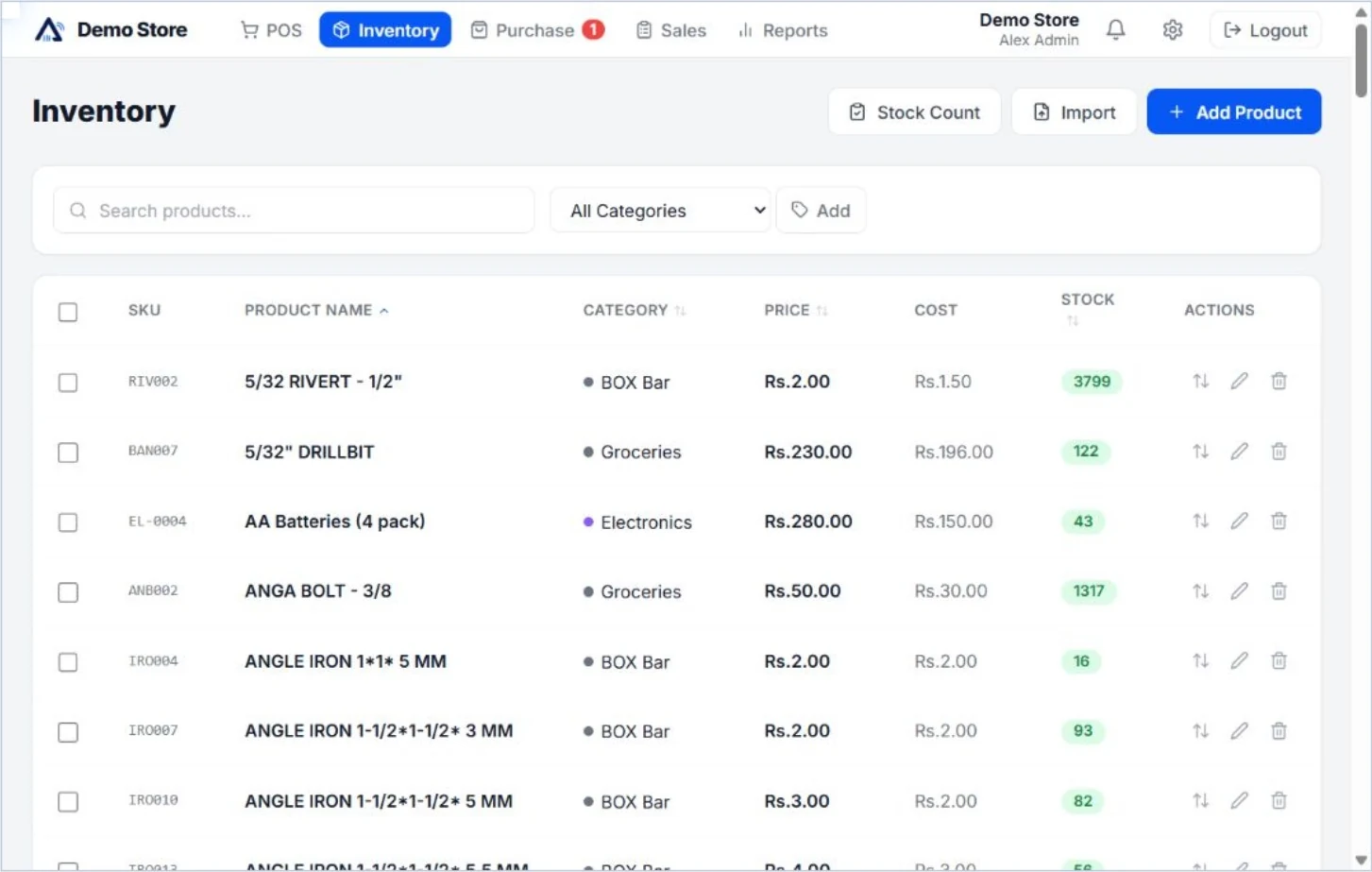
For a shop in Sri Lanka, inventory management starts with knowing what is available and recording changes consistently. A separate spreadsheet can become difficult to maintain when sales and stock movements happen throughout the day. Aroha connects the product catalogue to checkout, so a recorded sale updates the related stock.
That connection supports everyday decisions: checking an item before selling it, reviewing products that need attention and comparing stock records with what is physically on the shelves. Accurate opening quantities and regular checks still matter; software reflects the transactions and adjustments your team records.
Inventory essentials in every paid plan
- Product organisation: keep a product catalogue with categories and prices in the POS workspace.
- Connected stock: update product stock through checkout sales rather than maintaining a separate sales list.
- Stock adjustments and alerts: correct quantities when needed and review low-stock alerts.
- Basic CSV import and export: use the supported product format when preparing or reviewing your catalogue.
- Basic stock reports: review stock alongside your sales, payment and bill reports.
Starter includes 200 active products, one branch and one user. The product allowance counts different active products, not the number of physical units you hold. See the full capacity comparison for customers, suppliers and uploaded-file storage as well.
When your stock workflow needs more control
Professional adds stock counts, batch and expiry fields, product photos and detailed stock-movement reports. It also includes supplier payments, credits and returns. Its published limits are 1,500 active products, three users and one branch.
If your business operates across branches, Enterprise includes branch stock transfers and combined reports. Its limits are 10,000 active products, ten users and three branches. Choose the plan around the places and people recording stock movements, as well as the size of your catalogue.
Batch and expiry fields help you record product information, but you should test your exact traceability workflow during the trial. A field being available does not establish that a system meets every specialist or regulated industry requirement.
A practical stock setup checklist
- Prepare a clean catalogue. Review names, item codes, barcodes, prices and categories before importing or entering products. Try a small CSV sample before loading a larger file.
- Establish opening quantities. Count a sample of real items and compare it with the opening stock you enter.
- Test the sale-to-stock connection. Sell a test item, check its updated quantity and process a return to understand the resulting records.
- Test purchases and corrections. Walk through the bill and supplier tasks available in your selected plan. Include a stock adjustment and review the relevant report.
- Assign a routine. Decide who records deliveries and who checks shelf quantities. Regular counts help you identify missed or incorrect entries.
Understand the software cost
After the 60-day free trial, Starter is USD 5, Professional is USD 11 and Enterprise is USD 20 per company per month. All published prices are billed in USD. Trial capacity is three users, 300 products and two branches with supported Enterprise features; it differs from the paid-plan allowances.
You can start the trial without a payment card. Use it to test your catalogue, device and daily workflow before deciding. For checkout details, see retail POS software for Sri Lankan shops.
Questions about inventory management
Does product stock update when I sell?
Yes. Stock updates with sales recorded in Aroha POS. Keep opening quantities and adjustments accurate so your records remain useful.
Are branch transfers included in Starter?
No. Branch transfers and combined branch reports are included in Enterprise. Starter and Professional each include one branch.
Can I check inventory on a phone?
Aroha provides a mobile-friendly inventory layout. Test the particular tasks and browser you plan to use during the trial.